Test Scheduling and Multi-Agent Execution
Automate test runs on any schedule and distribute execution across multiple machines. Lightweight agents on Windows, macOS, and Linux report results back to a single dashboard.
How Scheduling and Agents Work
CFTR scheduling lets you automate test execution without any external CI/CD configuration. Choose a schedule type — Once, Daily, Weekly, Hourly, or a custom cron expression — pick your tests, and select an execution target. The platform handles the rest.
Execution targets can be the CFTR server itself or one or more remote agents. Agents are lightweight Node.js scripts you install on any machine. Once registered, an agent polls the CFTR server for work. When a scheduled run triggers, the agent receives the test, installs the necessary browser if needed, executes the Playwright test, and uploads results.
The agent dashboard shows the health and status of every registered agent in real time. You can see which agents are online, idle, or currently running tests. If an agent goes offline, the scheduler redistributes its workload to remaining agents. After each run completes, CFTR can send email notifications with a summary and a link to the full report.
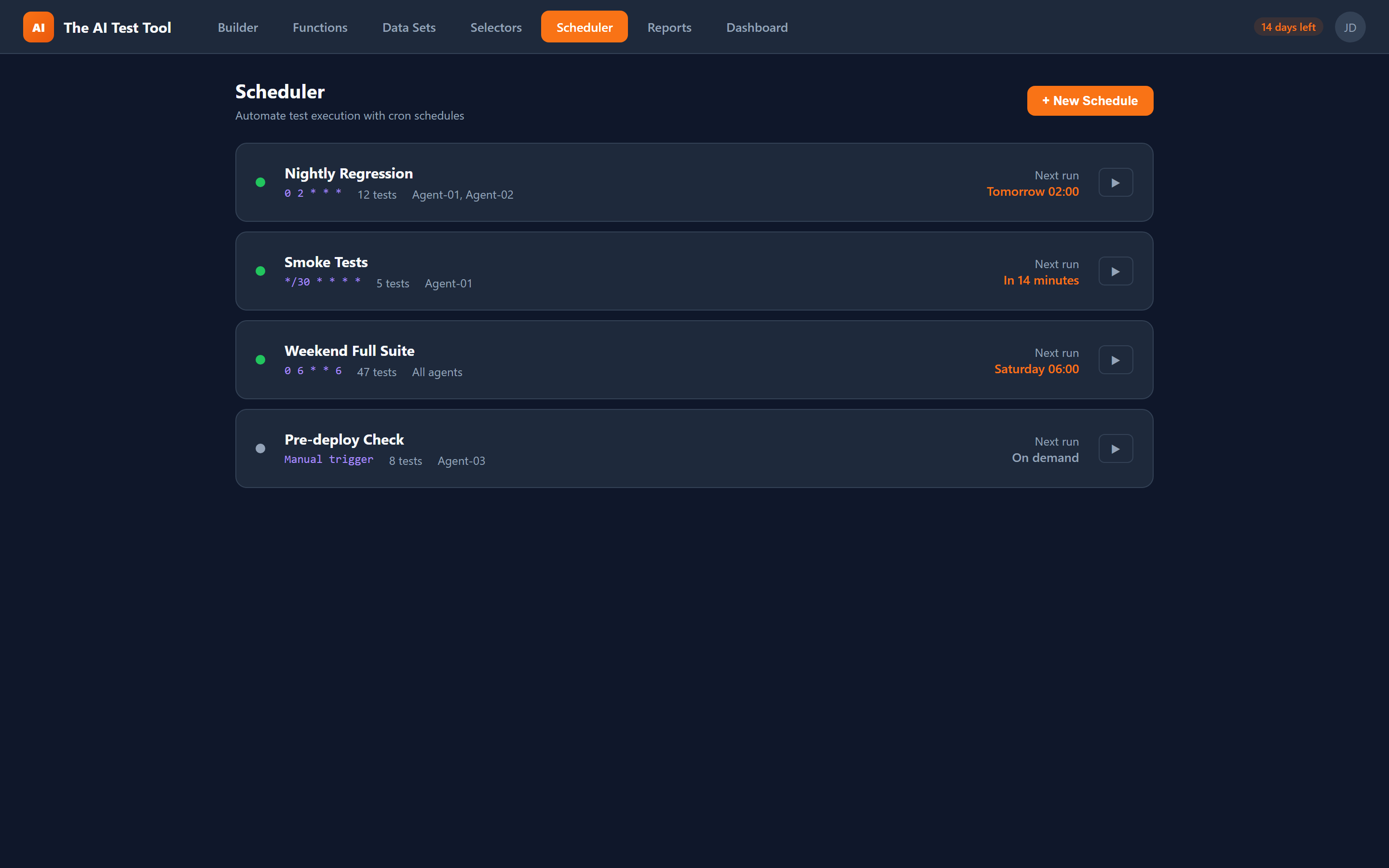
Flexible Schedule Types
From one-off runs to complex cron expressions, CFTR supports every scheduling pattern your team needs.
Once
Run a test or suite a single time at a specific date and time. Useful for one-off validation after a deployment or before a release goes live.
Daily
Execute tests every day at a set time. Ideal for nightly regression suites that catch overnight regressions before the team starts work.
Weekly
Schedule tests on specific days of the week. Perfect for longer-running end-to-end suites that do not need to run every day.
Hourly
Run tests every hour for critical flows like login, checkout, or API health checks. Catch issues within minutes of a bad deployment.
Custom (Cron)
Full cron expression support for any schedule you can imagine. Run tests every 15 minutes during business hours, twice on Mondays, or on the first day of each month.
Key Capabilities
Everything you need to automate, distribute, and monitor test execution at scale.
The Agent Advantage
Lightweight agents turn any machine into a test execution node. No complex infrastructure, no container orchestration — just install and register.
Cross-Platform Execution
CFTR agents run on Windows, macOS, and Linux. Test your application across different operating systems and browser configurations without maintaining separate CI infrastructure. Each agent is a lightweight Node.js script that requires no special permissions.
Parallel Execution at Scale
Register multiple agents and distribute test execution across them. A suite of 200 tests that takes an hour on a single machine can run across four agents in 15 minutes. The scheduler automatically balances work across available agents.
Zero-Maintenance Agents
Agents auto-update whenever a new version is available. The lifecycle is simple: download the agent script, register it with your CFTR account, and it starts polling for work. When a scheduled run triggers, the agent pulls the test, executes it, and reports results back to the dashboard.
Email Notifications
Configure SMTP settings to receive email notifications after every scheduled run. Notifications include the pass/fail summary, duration, and a direct link to the full report. Know immediately when something breaks, even if you are not watching the dashboard.