Powerful features for modern testing
Everything you need to build, manage, and scale your test automation — all in one platform.
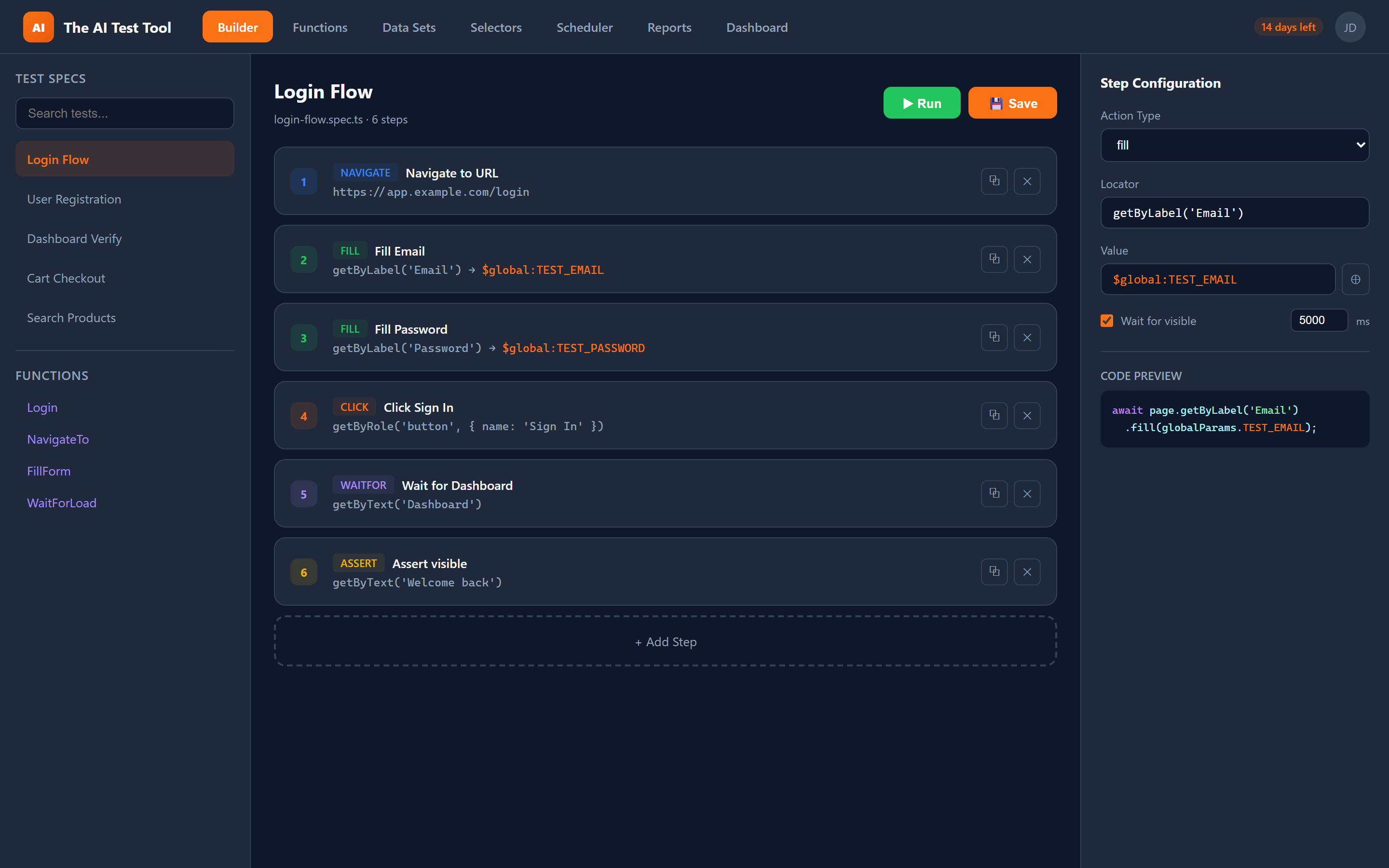
Visual Test Builder
Build automated Playwright tests with a powerful visual interface. Add steps, configure locators, set assertions — all through an intuitive UI. No coding required.
- Drag-and-drop step management
- Smart locator detection with Playwright's built-in selectors
- Visual assertion builder with multiple match types
- Insert, duplicate, and reorder steps easily
- Wait conditions and timeouts per step
- Instant code preview and export
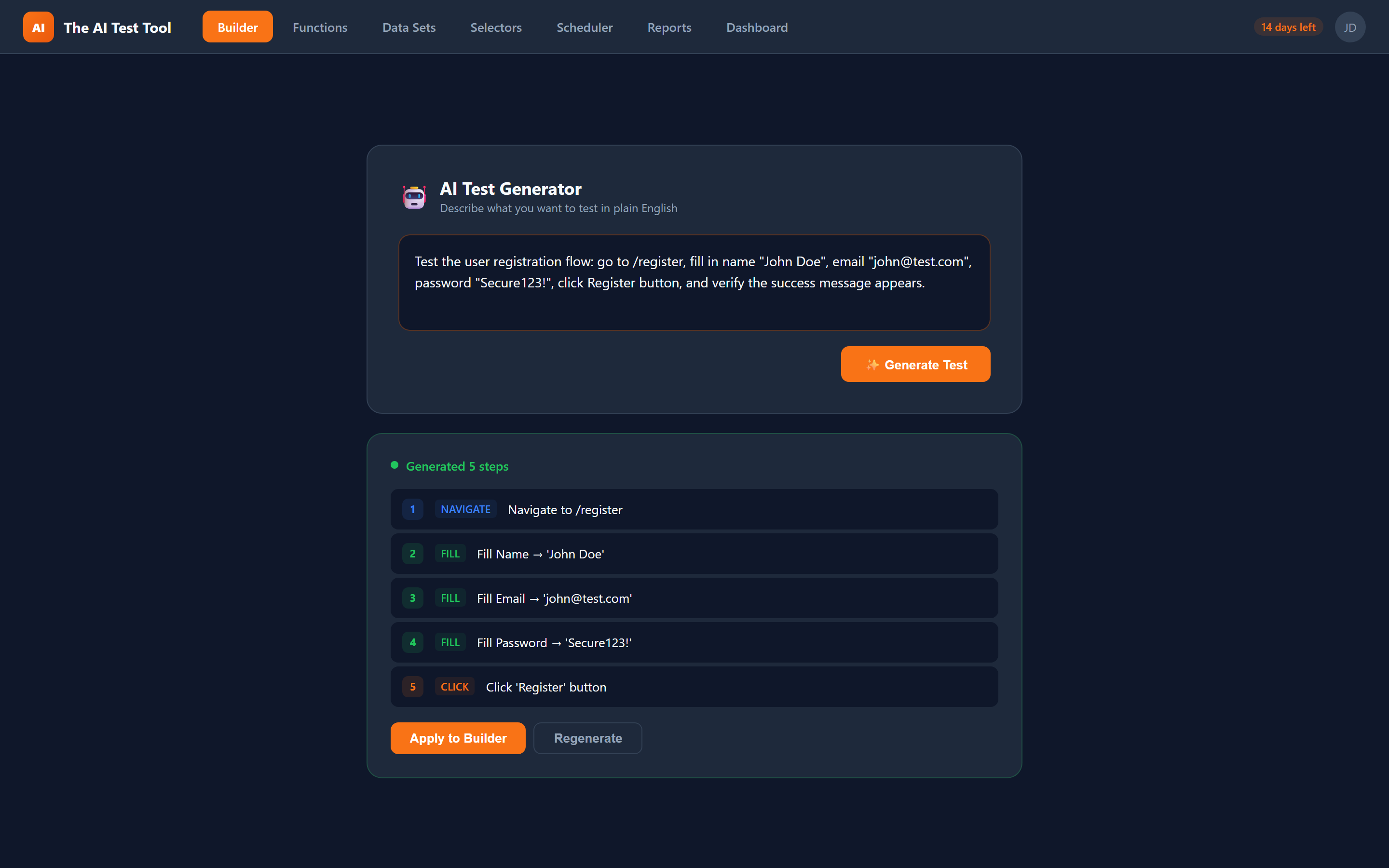
AI Test Generation
Describe your test scenario in plain English and let AI generate the complete test for you. Review, edit, and run — it's that simple.
- Natural language to test conversion
- AI understands your application context
- Generates clean, maintainable Playwright code
- Smart step suggestions based on page analysis
- Edit AI-generated steps in the visual builder
- Learn from your existing test patterns
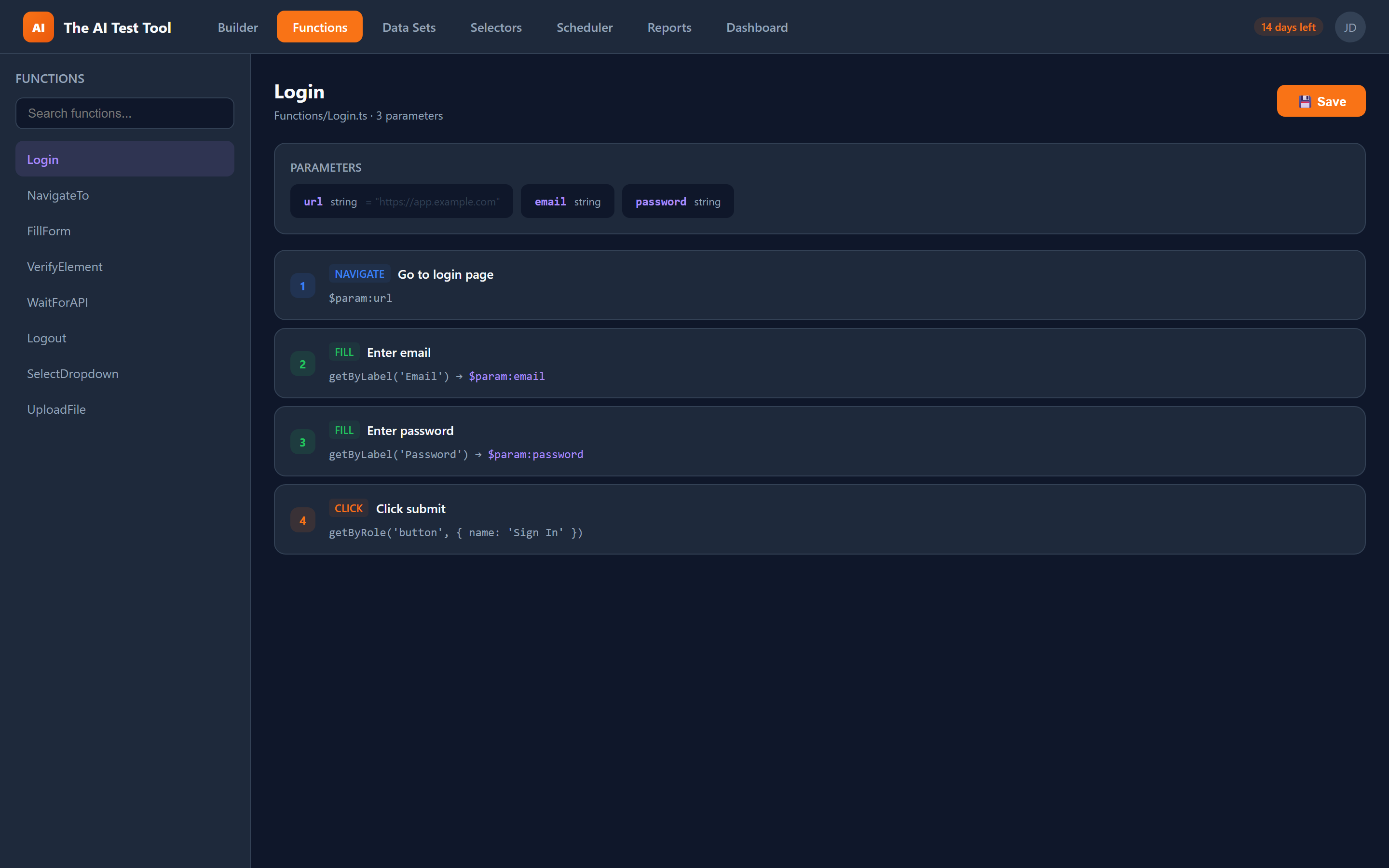
Reusable Function Library
Build once, use everywhere. Create a library of reusable functions like login flows, navigation sequences, and form submissions — then plug them into any test.
- Create parameterized function blocks
- Share functions across tests and teams
- Function parameters with defaults
- Nested function calls supported
- Visual function builder with same UI as tests
- Auto-generated TypeScript imports
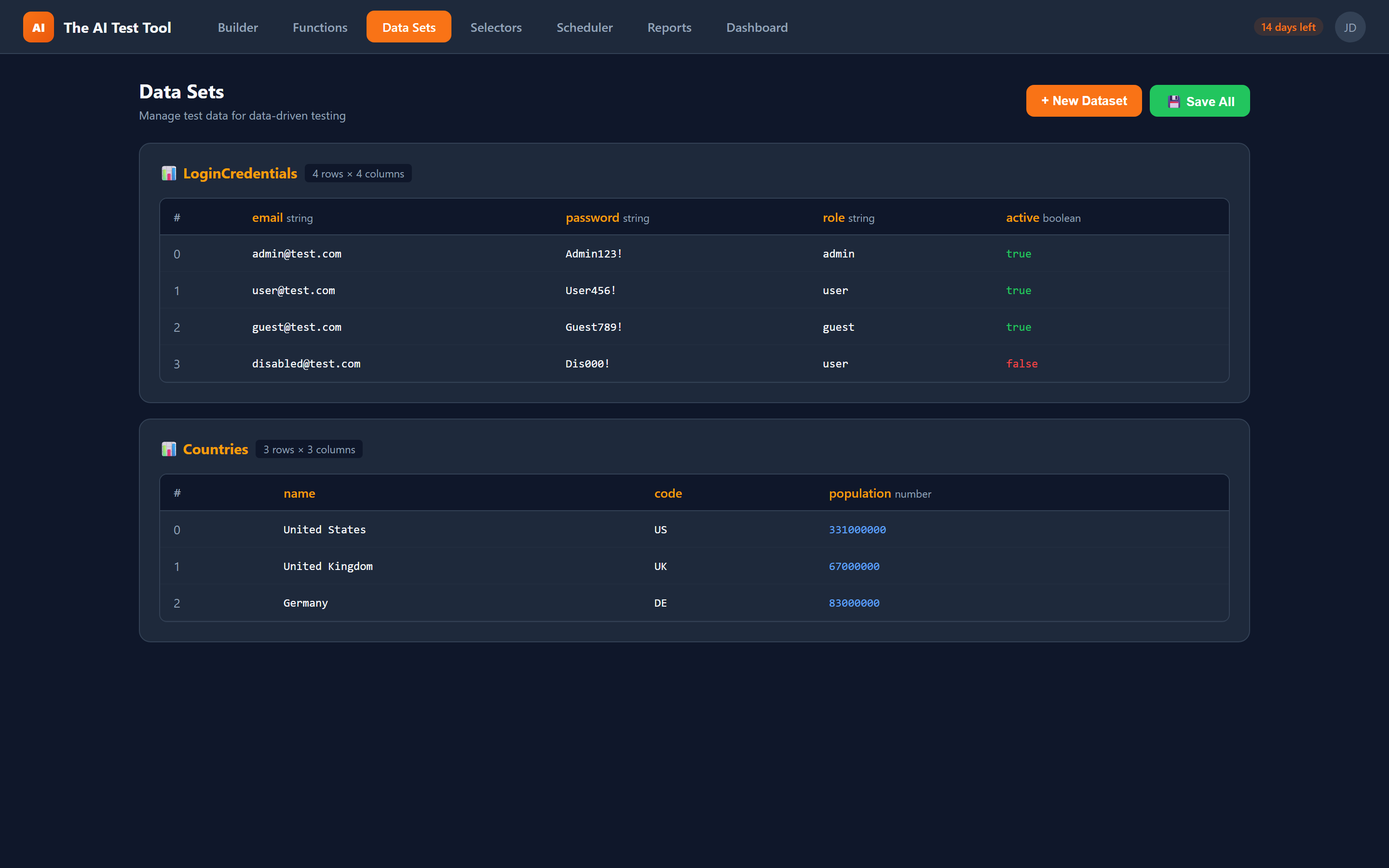
Data-Driven Testing
Test with real data at scale. Define datasets and run the same test across hundreds of data variations automatically.
- CSV-style dataset editor
- Multiple data types: string, number, boolean
- Row-specific or full-dataset iteration
- Data references in any step field
- Auto-generated data loop code
- Combine datasets with global parameters
Selector Library
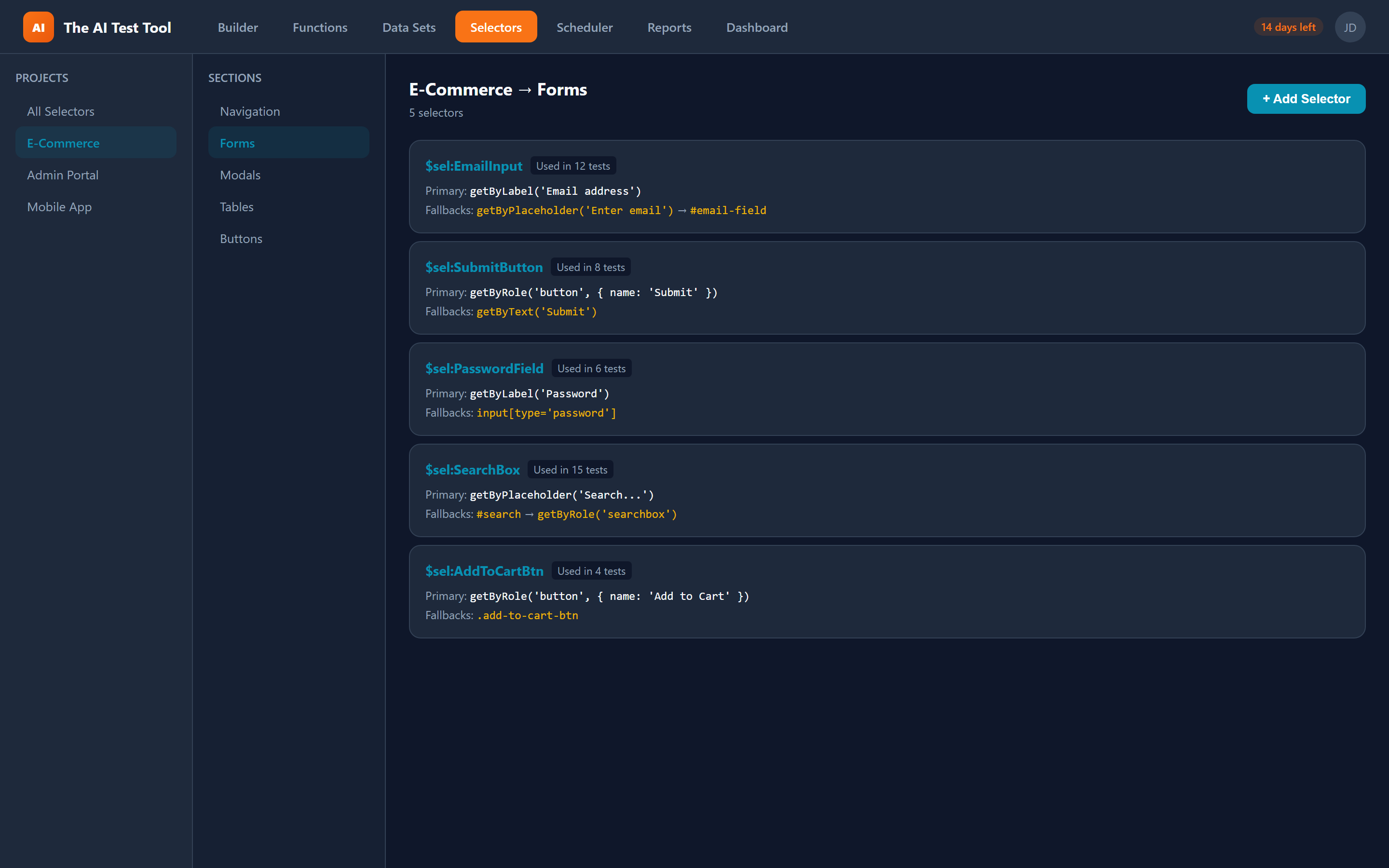
Centralize your selectors with automatic fallbacks. When a primary selector breaks, fallbacks keep your tests running.
- Named, reusable selectors
- Primary + fallback selector chains
- Project and section organization
- Usage tracking across tests
- $sel:Name references in any locator field
- Auto-generates .or() fallback chains in code
Reports & Dashboard
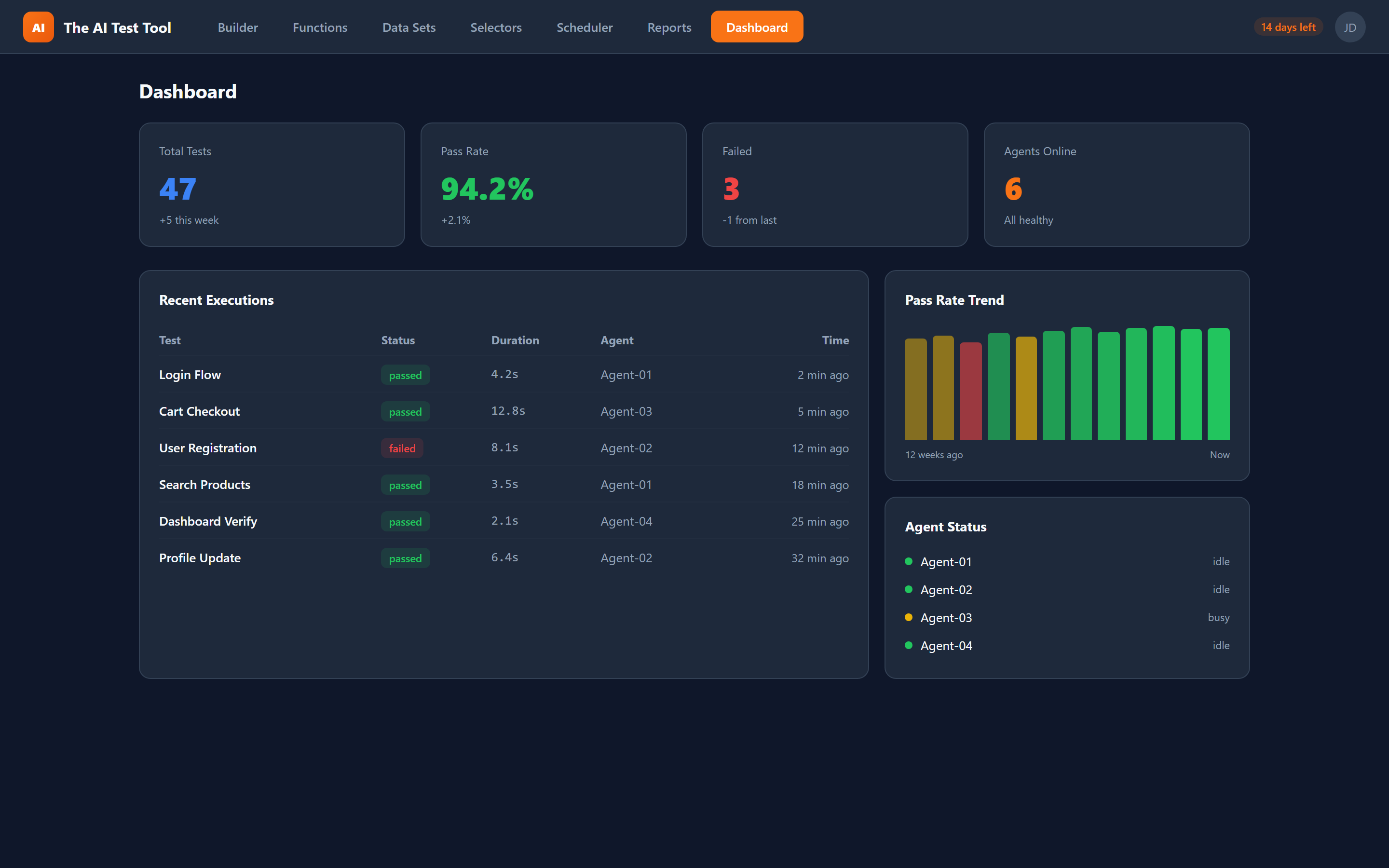
Beautiful, actionable reports with full traceability. Track test health, trends, and KPIs from a real-time dashboard.
- Pass/fail rates and trend charts
- Screenshots and Playwright traces
- Step-by-step execution details
- KPI cards for quick health overview
- Filter by project, status, and date
- Export and share reports
Scheduling & Agents
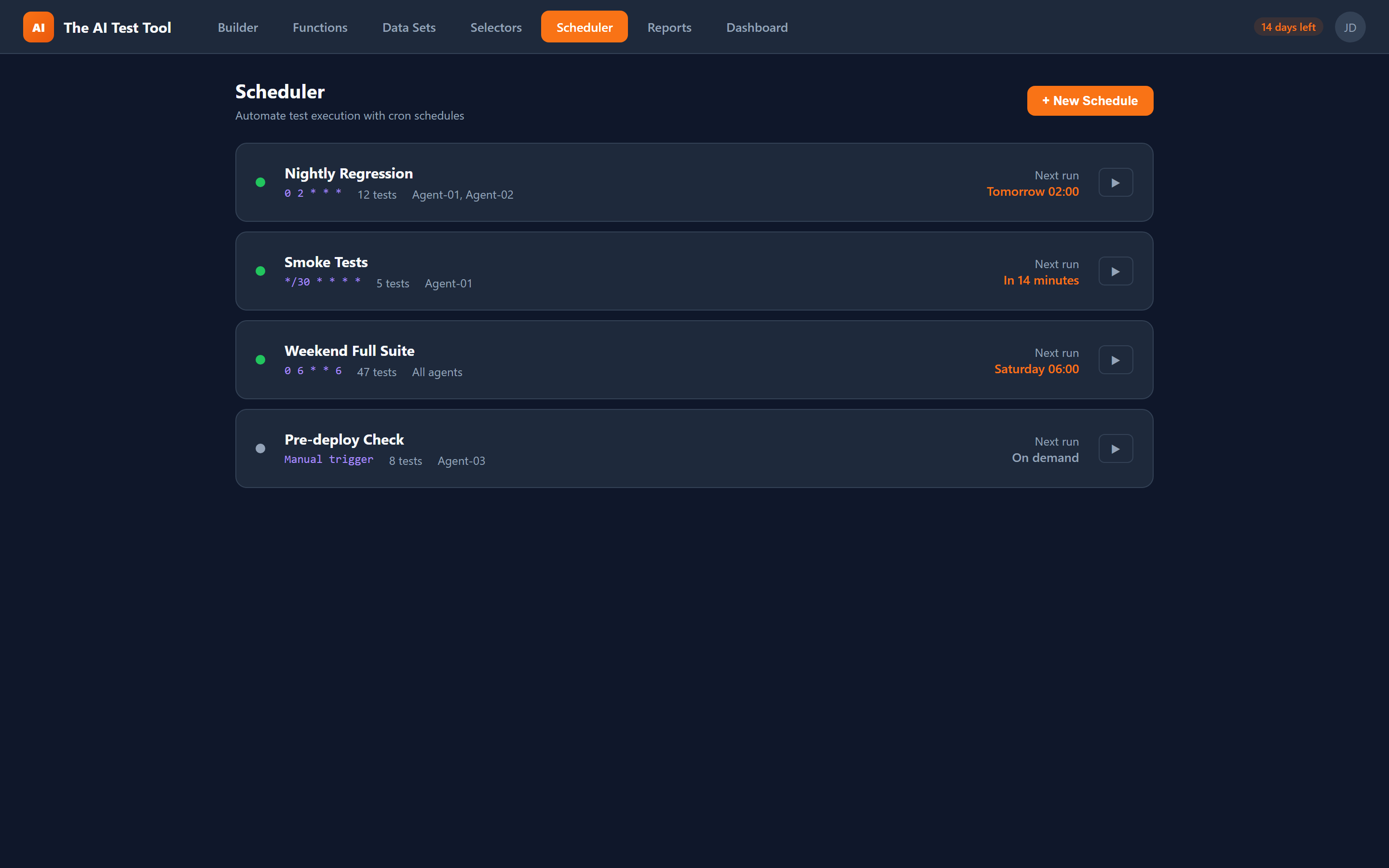
Schedule tests to run automatically and distribute execution across multiple agents. Monitor everything from a single dashboard.
- Cron-based test scheduling
- Multi-agent parallel execution
- Agent health monitoring
- Automatic retry on failure
- Real-time execution logs
- Notification alerts on failures
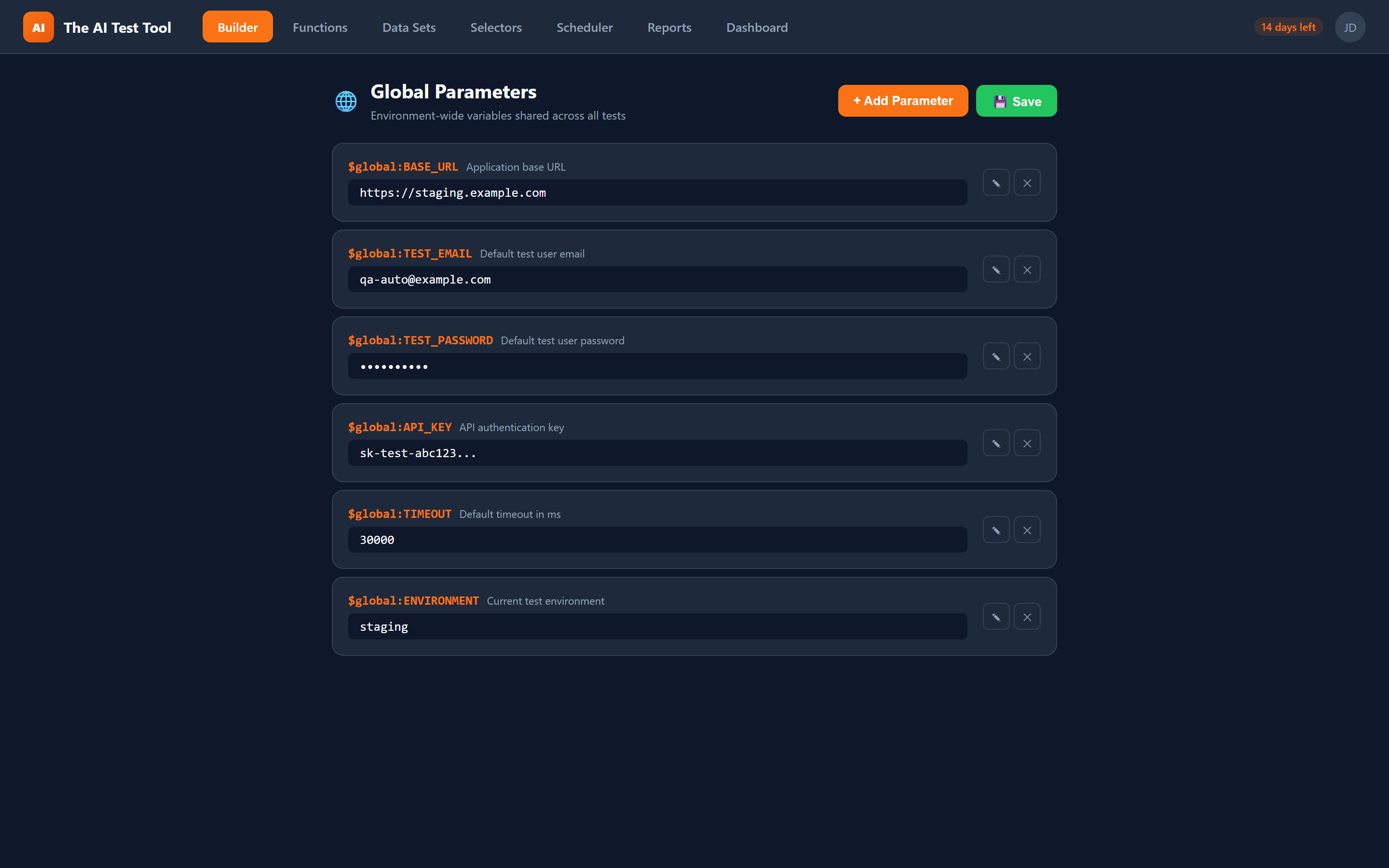
Global Parameters
Define environment-wide variables like base URLs, credentials, and feature flags. Reference them in any test with a single prefix.
- Central parameter management
- $global:VARNAME references
- Override per environment
- Auto-generated parameter files
- Works in tests and functions
- Combine with datasets and selectors